 8:46
8:46Plays here · Open on youtube ↗
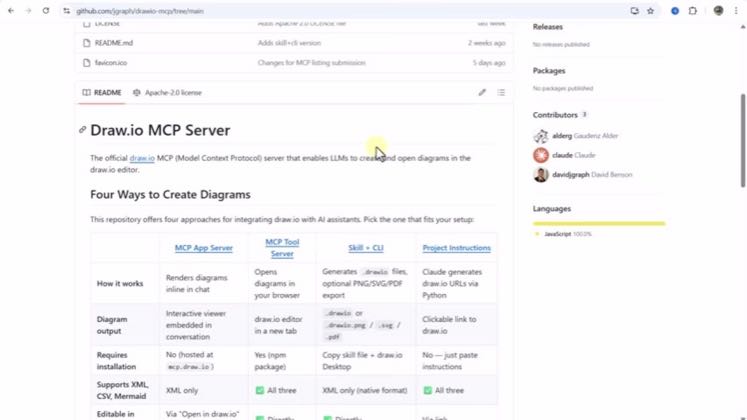
“In this video we are going to explore how we can create high level architectural diagram using”
The opening line · 0:00 · move: howto
Compares three ways to generate editable architecture diagrams from AI—Excalidraw connector, local or remote Draw.io MCP, and a Draw.io skill—then proves each route inside Claude or VS Code.
@TechyTacos · 10.4K followers · 1 of 60 recent posts mention draw.io / diagrams.net · creator page →
- 0:00In this video we are going to explore how we can create high level architectural diagram using
- 0:04mcp server capabilities of draw.io and xcli drop and to interact with these mcp servers we are
- 0:10going to use clod desktop and wizard studio code so let's get started with that so first thing
Creators request diagram code from an external AI and open the result in draw.io, using either a file import or an automatic handoff.
Non-owned YouTube creators Learn With Liam, Mathias Does Tech, and TechyTacos. · 3 creators · 3 posts
Open the full playbook →
this post · other creators who ran it
@TechyTacosyoutube · 10.4K followers · median 518 views · n=60best post88K170×views · for draw.io / diagrams.netorganic The tutorial demonstrates both Draw.io and competing Excalidraw MCP servers; the public description links the creator's own X account and contains no Draw.io referral route, platform disclosure or sponsorship statement. https://www.youtube.com/watch?v=50y0N1vnH0YOpen creator →Views and likes are public counts at capture time. The multiple compares this post with the creator’s own recent median, not a claim about what caused its reach. Read the methodology →