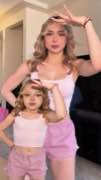
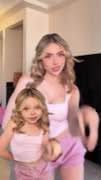
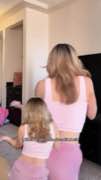
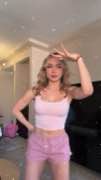
Prompted image through a connected video node
Generate an image in a node workflow, connect that image to a video stage, add motion direction, and produce the video.
The four frames are the beats of that post — Kling AI’s biggest, 5.6M views. Open the post →
The explicit node connection may make source reuse and the transformation from still image to motion output easy to follow.
It fails when image and video are generated independently, when only a text prompt is connected to the video node, or when the image is merely shown without becoming the video input.
Every video in these playbooks counts toward the 130 posts. A video in more than one playbook is counted once.
FLORA · Turn a Flora image prompt into a connected video · 3 posts
The script explicitly moves from an image prompt and generated image into a connected video node for animation.
Open playbook →ImagineArt · Prompted image to workflow video · 3 posts
The reviewed sequence explicitly generates an image, connects it to a video node, adds a video prompt, and generates the animation.
Open playbook →Kling AI · Kling is the motion node inside a larger stack · 124 posts
A static image asset is created and planned, then passed through Kling as the motion step.
Open playbook →These examples explain the shared moves. They do not limit the video count.
1. Enter an image prompt in a node-based workflow — source quotes
I double click the canvas and open a text node, I type, "A fluffy orange cat sitting on a wooden desk next to a laptop."
FLORA · source post → · Playbook →
donc j'ai crié mon prompt ce que je veux donc j'ai pris le petit plus qui était à côté de l'image je l'ai tiré et là j'écris mon prompt
FLORA · source post → · Playbook →
i'm copying my prompt right now and i'm going to place this in the prompt box which i've linked in the workflow to generate my image right now
ImagineArt · source post → · Playbook →
2. Generate and confirm the image output — source quotes
hit generate, about 30 seconds later, boom, clean image
FLORA · source post → · Playbook →
et je charge voilà ça nous donne une mannequin très belle mannequin
FLORA · source post → · Playbook →
and that's our image right now so this image we're going to use it to generate a video right now with the cling 2.6 mode
ImagineArt · source post → · Playbook →
3. Connect the generated image to a video node — source quotes
Now let's animate, add a video node and connect it to the image
FLORA · source post → · Playbook →
à partir de cette image là moi je veux une vidéo donc je tire je clique sur vidéo et j'écris mon prompt
FLORA · source post → · Playbook →
we've linked our image to our video box over there and you see our linked it you see the yellow line from the image to view to that
ImagineArt · source post → · Playbook →
4. Add motion direction and generate the video — source quotes
Flora understands the context, type, make the cat yawn, done
FLORA · source post → · Playbook →
je veux que le mannequin fasse une défilée et quelques temps après ça va charger un peu et on a le défilé
FLORA · source post → · Playbook →
so these are prom these are first video prompt right now i'm going to put it in the box over there so with this video prompt our image is going to be generated right now so cling 2.6 so i'm going to generate it right now
ImagineArt · source post → · Playbook →
What varies: Product ads, character animation, fashion demonstrations, cinematic scenes, multiple images into one video, and optional export or upscale steps.

 Kling AI124
 FLORA3
 ImagineArt3