 0:45
0:45Plays here · Open on youtube ↗
“In order to connect Facebook Meta ads to Manus AI, the first thing you want to do is you want to open up Manus AI,”
The opening line · 0:00 · move: howto
A screen-recorded micro-tutorial shows the entire Meta Ads connection path—Manus settings, Connectors, Meta OAuth, save and confirmed connection—then closes with a like-and-subscribe prompt.
@HowToNow · 15.2K followers · 0 of 30 recent posts mention Manus · creator page →
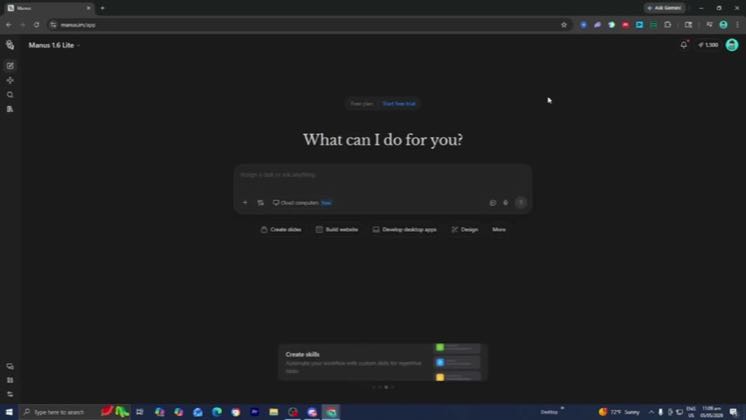
- 0:00In order to connect Facebook Meta ads to Manus AI, the first thing you want to do is you want to open up Manus AI, go to the left menu and select over here where it says settings, then select on connectors right here, then select on add connectors, and then you should be able to see Meta ads manager.
- 0:14You can also look it up on the search bar right over here. But thankfully it is pretty easy to find. So then afterwards, it is going to ask you to confirm and you will need to press on this connect button.
- 0:23Alright, then afterwards you want to press on this button that says connect and it is going to take you to the Meta ads manager. And then from there, you need to go ahead and log into your Facebook account. So let's go ahead and do that.
Open on app-switching or admin fatigue, connect live business systems, let Manus draft or schedule the work, and prove the result by showing it land in the external tools.
Productivity educators and operator-builders showing Gmail, Calendar, publishing and Meta Ads tasks inside one Manus workspace · 23 creators · 23 posts
Open the full playbook →
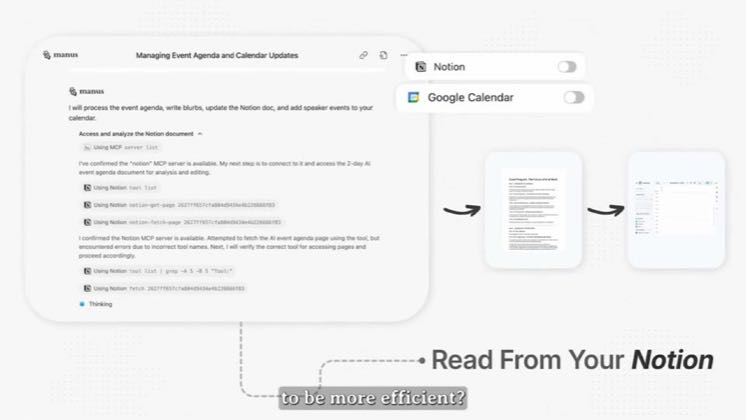
this post · other creators who ran it
@HowToNowyoutube · 15.2K followers · median 62 views · n=60best post3645.9×views · for ManusUnknown “Manus” appears in the public source; commercial relationship unverified — https://www.youtube.com/watch?v=q6Y-1Y20hwIOpen creator →Views and likes are public counts at capture time. The multiple compares this post with the creator’s own recent median, not a claim about what caused its reach. Read the methodology →