 1:25
1:25Plays here · Open on youtube ↗
“Welcome to SOSBeast Pro. In this video, I'll show you how to upload your Suno AI song to YouTube, step by step,”
The opening line · 0:00 · move: howto
Turns a Suno song into a distribution or monetization workflow, teaching the next commercial step rather than stopping at generation: How To Upload Your Suno AI Song to YouTube - Full Guide.
@SaaS Beast Pro · — followers · 0 of 30 recent posts mention Suno · creator page →
- 0:00Welcome to SOSBeast Pro. In this video, I'll show you how to upload your Suno AI song to YouTube, step by step, so you can share your music with the world in just a few clicks.
- 0:11Step 1. Go to Suno AI and click on "Create" from the left sidebar. This is where you'll start generating or choosing your song.
- 0:19Step 2. Add your lyrics and click "Create" to generate your song, or simply pick a previously created song from your library.
Open after the song already exists, translate plan rights into platform actions, and extend Suno into a YouTube, Spotify, licensing, or content-ID income workflow.
Opportunity publishers teaching how to distribute, license, protect, or monetize an AI-generated song · 15 creators · 15 posts
Open the full playbook →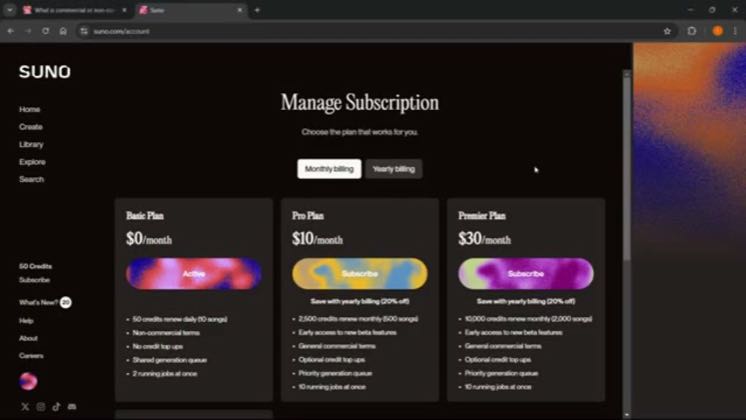

this post · other creators who ran it
@SaaS Beast Proyoutube · — followers · median 36 views · n=60best post21.4K593×views · for SunoUnknown “How To Upload Your Suno AI Song to YouTube - Full Guide” identifies suno; public caption checked, commercial relationship unverified — https://www.youtube.com/watch?v=pEvMdEjMcb8Open creator →Views and likes are public counts at capture time. The multiple compares this post with the creator’s own recent median, not a claim about what caused its reach. Read the methodology →