 PAID3:29
Plays here · Open on youtube ↗
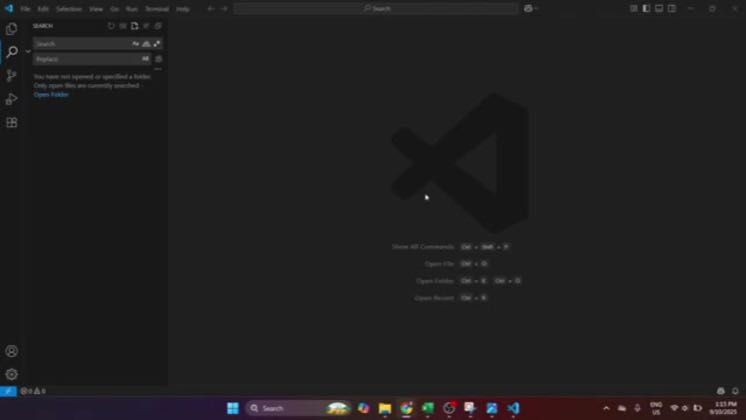
“In today's video, I'm going to teach you how to use Cursor AI in Visual Studio Code, a quick setup that's streamlined yet comprehensive.”
The opening line · 0:00 · move: howto
Keeps the real Cursor interface on screen while resolving one reproducible setup, feature, debugging, or integration task: How to Use Cursor AI in VS Code Quick Setup.
@Aeris Vale Tutorials · 2.4K followers · 0 of 30 recent posts mention Cursor · creator page →
- 0:00In today's video, I'm going to teach you how to use Cursor AI in Visual Studio Code,
- 0:04a quick setup that's streamlined yet comprehensive. Let's dive right in and make your coding experience
- 0:10smoother and more productive. First things first, before we jump into using Cursor AI,
Keep Cursor's real interface visible while resolving one setup, debugging, preview, or integration task from click to proof.
Independent how-to channels and developer educators; commercial relationships are unverified · 26 creators · 26 posts
Open the full playbook →12.2K@Aeris Vale Tutorials 165.3K@Greg Baugues
 78.1K@Origin Tech
 43.8K@CodeScene - Next Generation Code Analysis
this post · other creators who ran it
@Aeris Vale Tutorialsyoutube · 2.4K followers · median 17 views · n=60best post12.2K720×views · for CursorUnknown “How to Use Cursor AI in VS Code Quick Setup” identifies cursor; public caption checked, commercial relationship unverified — https://www.youtube.com/watch?v=lbwmHWpGlvIOpen creator →Views and likes are public counts at capture time. The multiple compares this post with the creator’s own recent median, not a claim about what caused its reach. Read the methodology →