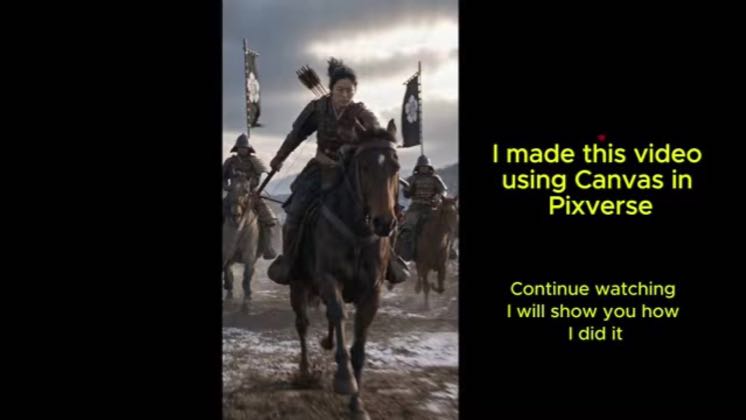
 PROGRAM2:23
Plays here · Open on youtube ↗
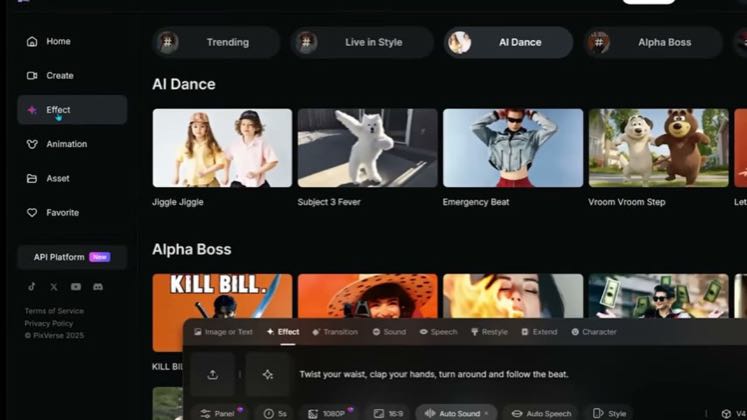
“Let's go to Pixverse Canvas. Click Create Project. This will take you to the main canvas”
The opening line · 0:00 · move: result-first
Opens on a finished cavalry battle, then builds multi-angle character and background references, links the nodes, configures Seedance, and exports the final scene.
@Femmelore_AI · 9.6K followers · 2 of 18 recent posts mention PixVerse · creator page →
- 0:00Let's go to Pixverse Canvas. Click Create Project. This will take you to the main canvas
- 0:21walk space. Next, right-click anywhere on the canvas. A menu will appear. Click Image.
- 0:29From here, you can choose which image generation engine you want to use. For this tutorial,
Open on a generated payoff or a production limit, move through one control at a time, and attach each prompt or UI action to the exact shot it produces before routing viewers to the product link.
paid and affiliate filmmaking educators turning PixVerse controls into repeatable production recipes · 51 creators · 58 posts
Open the full playbook →
this post · other creators who ran it
@Femmelore_AIyoutube · 9.6K followers · median 748 views · n=18best post2380.3×views · for PixVerseprogram Both tutorials include `#pixversecpp`, naming PixVerse's Creative Partner Program; program: https://pixverse.ai/en/blog/pixverse-global-creative-partner-program-2-0. https://www.youtube.com/watch?v=l9Pw9wSnP6sOpen creator →Views and likes are public counts at capture time. The multiple compares this post with the creator’s own recent median, not a claim about what caused its reach. Read the methodology →