 0:37
0:37Plays here · Open on youtube ↗
UnknownThree retained videos cover overview, installation and full product use, but expose no paid-promotion label, creator code, tracked zeta link, or standing relationship evidence0:37 · spoken hook
“if you want how to take back with another new video and in this video i will guide you how to install JTA AI Chat Historian Play”
The opening line · 0:00 · move: on-screen-text
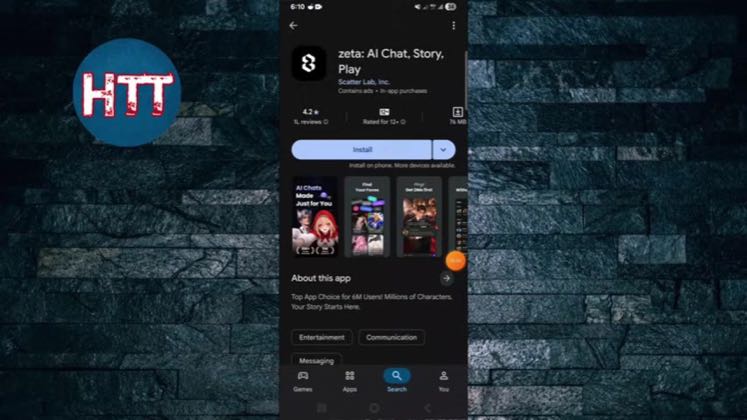
Answers the installation query directly by locating zeta in the mobile store and showing the install action without expanding into unrelated features.
389views2likes↑22.9×vs their usual post · 17 views—creators ran this script
@How To Tuts · 9.3K followers · creator page →
The script4 lines · @How To Tuts
- 0:00if you want how to take back with another new video and in this video i will guide you how to install JTA AI Chat Historian Play
- 0:07so it's really simple and easy first of all you need to go google play store if you use android phone and go to app store if you use iphone then tap the search box and tap the word JTA AI
- 0:22that's it then you can see here the app is here it's like a AI Chat Historian Play so if you really want to get communication with AI then you can use this app
1 more linesmembers read and copy every script on the site
@How To Tutsyoutube · 9.3K followers · median 17 views · n=60best post1.7K102×views · for zetaUnknown Three retained videos cover overview, installation and full product use, but expose no paid-promotion label, creator code, tracked zeta link, or standing relationship evidenceOpen creator →Views and likes are public counts at capture time. The multiple compares this post with the creator’s own recent median, not a claim about what caused its reach. Read the methodology →