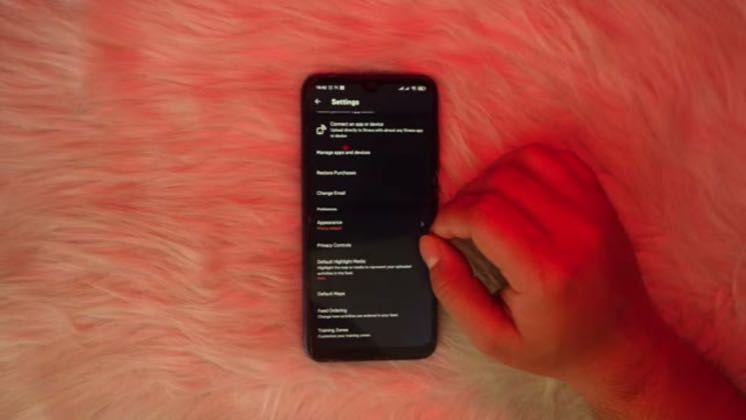
 0:54
0:54Plays here · Open on youtube ↗
“how to hide your start and an address on Strava maps. So this is going to be a really simple video.”
The opening line · 0:00 · move: howto
Teaches a reproducible Strava workflow in “How to Hide Your Start and End Address on Strava Maps,” keeping the app steps and resulting training record visible enough to verify the utility claim.
@4kEasyGuide · 11.1K followers · 0 of 15 recent posts mention Strava · creator page →
- 0:00how to hide your start and an address on Strava maps. So this is going to be a really simple video.
- 0:05All you want to do is head over to these settings inside of these Strava app. One chain
- 0:09side scroll down head over to privacy controls. From privacy controls you'll be able to see the
Name one blocked app task, reproduce the taps on screen, and end only after the viewer can verify the same result in their own activity feed.
App-tutorial and fitness-tech educators answering narrow Strava setup, privacy, sharing, route, and device-integration questions · 62 creators · 110 posts
Open the full playbook →

this post · other creators who ran it
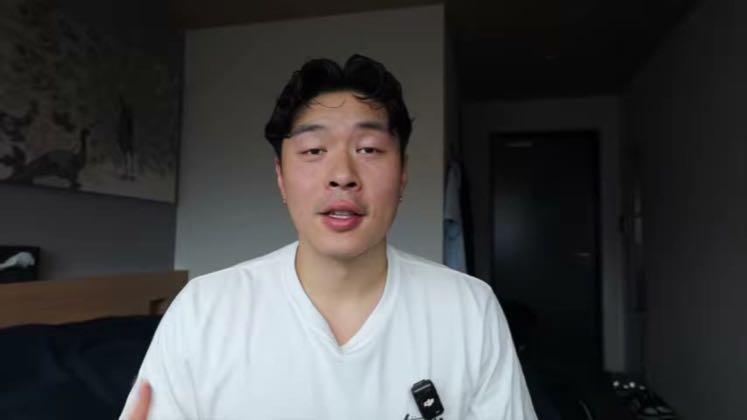
@4kEasyGuideyoutube · 11.1K followers · median 6 views · n=59best post11719.5×views · for StravaUnknown Retained posts and the independently scanned recent feed were checked; public evidence proves Strava attribution, while the commercial relationship remains unverified.Open creator →Views and likes are public counts at capture time. The multiple compares this post with the creator’s own recent median, not a claim about what caused its reach. Read the methodology →