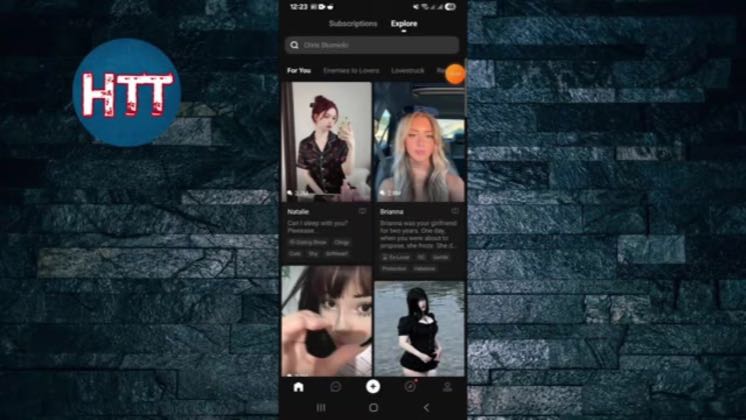
 0:32
0:32Plays here · Open on youtube ↗
UnknownThe retained PolyBuzz utility tutorials and independently scanned multi-tool feed expose no PolyBuzz paid label, sponsored statement, creator code, tracked route, or named program; absence of that evidence does not establish an organic relationship.0:32 · spoken hook
“Hello everyone how to do back with another infusion in this video I will guide you how to disable notification on polyverse application.”
The opening line · 0:00 · move: on-screen-text
Opens the live PolyBuzz profile and settings screens, enters Push Notification, and shows the separate toggles for character messages, activities, likes, comments, collectors, general notices, and subscribers.
8views—likes↑0.5×vs their usual post · 17 views—creators ran this script
@How To Tuts · 9.3K followers · 9 of 60 recent posts mention PolyBuzz · creator page →
The script4 lines · @How To Tuts
- 0:00Hello everyone how to do back with another infusion in this video I will guide you how to disable notification on polyverse application.
- 0:08So first of all you need to open your app then tap here right bottom corner is the profile icon then tap right top corner at setting option.
- 0:16And then tap here post notification this one then you can see here couple of notification options.
1 more linesmembers read and copy every script on the site
@How To Tutsyoutube · 9.3K followers · median 17 views · n=60best post80.5×views · for PolyBuzzUnknown The retained PolyBuzz utility tutorials and independently scanned multi-tool feed expose no PolyBuzz paid label, sponsored statement, creator code, tracked route, or named program; absence of that evidence does not establish an organic relationship.Open creator →Views and likes are public counts at capture time. The multiple compares this post with the creator’s own recent median, not a claim about what caused its reach. Read the methodology →