 4:56
4:56Plays here · Open on youtube ↗
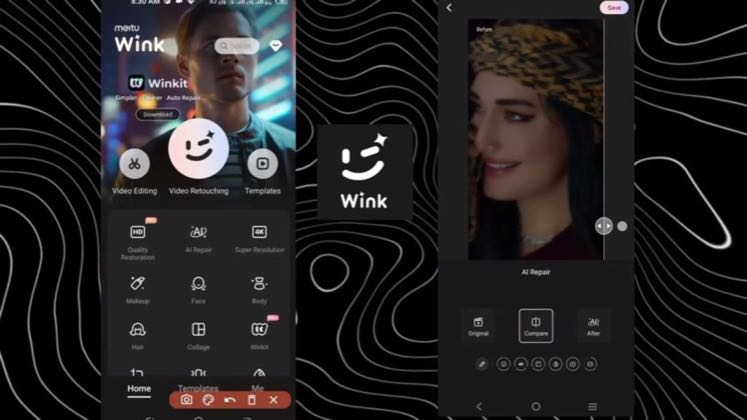
“Hey Guys, Today I am going to teach you guys how to convert a normal video into a 4k video”
The opening line · 0:00 · move: howto
Turns a before/after restoration or quality repair into a visible Wink workflow, moving from the source through the named control to the finished result before a credit only CTA.
@Edit with Bk · 201K followers · 1 of 15 recent posts mention Wink · creator page →
- 0:00Hey Guys, Today I am going to teach you guys how to convert a normal video into a 4k video
- 0:05in 4-5-3-4 minutes
- 0:07So today I am not going to cut it in the cup cut
Answer the high-intent 4K, blur-repair and face-smoothing query with the real Wink interface, one source file and a side-by-side result, so search utility—not creator fame—carries discovery.
Mobile-edit tutorial and AI-tool review channels · 93 creators · 110 posts
Open the full playbook →

this post · other creators who ran it
@Edit with Bkyoutube · 201K followers · median 11K views · n=60best post1.5K0.1×views · for WinkUnknown `Best Way to Enhance Your Video in Mobile ( Alight motion + Wink ) 😎☠️ In this video I will show you how to enhance…` identifies Wink; the public post proves tool attribution only, while the commercial relationship is unverified — https://www.youtube.com/watch?v=Mh4zlUsHX8UOpen creator →Views and likes are public counts at capture time. The multiple compares this post with the creator’s own recent median, not a claim about what caused its reach. Read the methodology →