 PAID5:01
Plays here · Open on youtube ↗
Unknown“How to use Cursor AI for beginners (5-Minute quickstart)” identifies Cursor; public page only proves tool attribution, commercial relationship unverified — https://www.youtube.com/watch?v=JhZyGzPs5x45:01 · on_screen hook
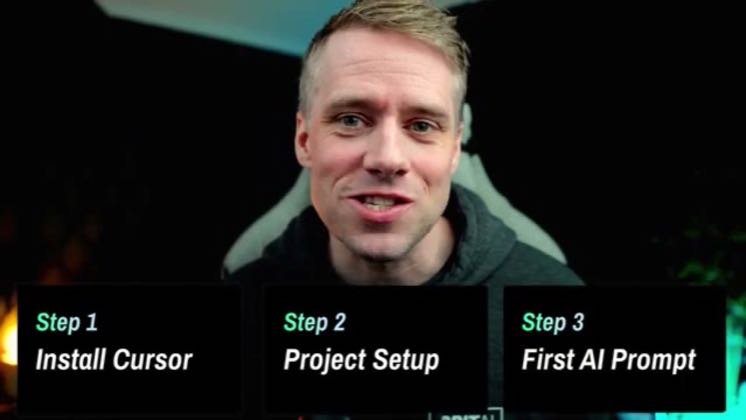
“Step 1 Install Cursor Step 2 Project Setup Step 3 First AI Prompt”
The opening line · 0:00 · move: howto
Gives first-time builders a Cursor install-and-prompt quickstart, then generates a to-do app directly inside the project folder.
844views15likes↑0.3×vs their usual post · 2.5K views26creators ran this script
@GritAI Studio · 8.8K followers · 5 of 30 recent posts mention Cursor · creator page →
The script49 lines · @GritAI Studio
- 0:00Hi, everyone, and welcome to this series on vibe coding with cursor. In this video,
- 0:04we're getting you fully up and running with cursor. You'll learn how to install the app,
- 0:09create your first project folder, and send your very first AI prompt, even if you've never touched
46 more linesmembers read and copy every script on the site
Runs the playbook
Real UI, one solved task
Keep Cursor's real interface visible while resolving one setup, debugging, preview, or integration task from click to proof.
Independent how-to channels and developer educators; commercial relationships are unverified · 26 creators · 26 posts
Open the full playbook →844@GritAI Studio 165.3K@Greg Baugues
 78.1K@Origin Tech
 43.8K@CodeScene - Next Generation Code Analysis
this post · other creators who ran it
@GritAI Studioyoutube · 8.8K followers · median 2.5K views · n=60best post8440.3×views · for CursorUnknown “How to use Cursor AI for beginners (5-Minute quickstart)” identifies Cursor; public page only proves tool attribution, commercial relationship unverified — https://www.youtube.com/watch?v=JhZyGzPs5x4Open creator →Views and likes are public counts at capture time. The multiple compares this post with the creator’s own recent median, not a claim about what caused its reach. Read the methodology →