 2:29
2:29Plays here · Open on youtube ↗
UnknownCached video transcript and description, plus the loaded public channel bio, were reviewed; they do not establish a commercial relationship with Gamma. https://www.youtube.com/watch?v=C-1_asA_hcM . A fresh platform disclosure-label check was not completed.2:29 · spoken hook
“In today's video, I'm going to teach you how to undo changes in Gamma AI.”
The opening line · 0:00 · move: on-screen-text
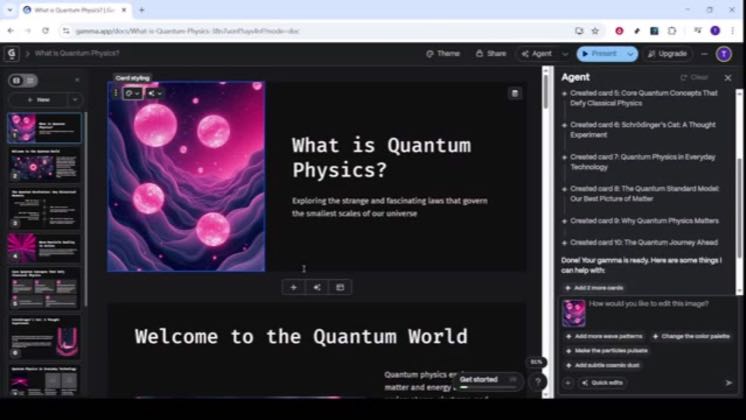
The screen recording explains keyboard and toolbar undo in Gamma while editing a sample deck, including an on-screen Ctrl+Z prompt. No cross-brand structure is assigned.
250views3likes↑62.5×vs their usual post · 4 views—creators ran this script
@Tutorialytics · 3.4K followers · 0 of 60 recent posts mention Gamma · creator page →
The script27 lines · @Tutorialytics
- 0:00In today's video, I'm going to teach you how to undo changes in Gamma AI.
- 0:05If you've ever made a quick edit and instantly wished you could step back,
- 0:08this walkthrough will show you the two fastest and most reliable ways to reverse your last action
24 more linesmembers read and copy every script on the site
@Tutorialyticsyoutube · 3.4K followers · median 4 views · n=60best post25062.5×views · for GammaUnknown Cached video transcript and description, plus the loaded public channel bio, were reviewed; they do not establish a commercial relationship with Gamma. https://www.youtube.com/watch?v=C-1_asA_hcM . A fresh platform disclosure-label check was not completed.Open creator →Views and likes are public counts at capture time. The multiple compares this post with the creator’s own recent median, not a claim about what caused its reach. Read the methodology →