 PAID1:55
Plays here · Open on youtube ↗
UnknownTarget title, description, and full workflow explicitly attribute Canva; no paid label, `#ad`, code, or public Canva commercial relationship is stated. Dedicated-feed behavior supports the derived Ambassador cohort, not a paid claim.1:55 · spoken hook
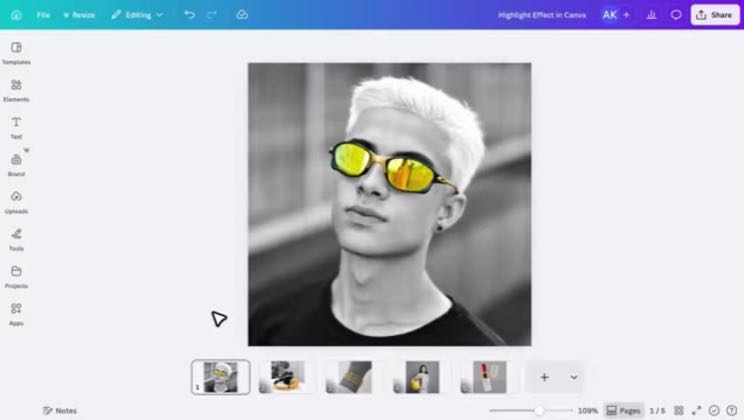
“In this video, I'll show you how to create a stunning color highlight effect in Canva that instantly makes your subject stand out.”
The opening line · 0:00 · move: result-first
The video uses Canva Magic Grab to isolate colored glasses from a muted portrait and the description provides app links. No cross-brand structure is assigned.
343views22likes↑0.4×vs their usual post · 890 views—creators ran this script
@Repixo - Canva Apps & Tutorials · 40.3K followers · 58 of 60 recent posts mention Canva · creator page →
The script23 lines · @Repixo - Canva Apps & Tutorials
- 0:00In this video, I'll show you how to create a stunning color highlight effect in Canva that instantly makes your subject stand out.
- 0:08This effect looks professional, but it's actually very easy to create. Let's get started.
- 0:14Alright, first, add the image you want to use for this effect.
20 more linesmembers read and copy every script on the site
@Repixo - Canva Apps & Tutorialsyoutube · 40.3K followers · median 890 views · n=60best post456.9K513×views · for CanvaUnknown Target title, description, and full workflow explicitly attribute Canva; no paid label, `#ad`, code, or public Canva commercial relationship is stated. Dedicated-feed behavior supports the derived Ambassador cohort, not a paid claim.Open creator →Views and likes are public counts at capture time. The multiple compares this post with the creator’s own recent median, not a claim about what caused its reach. Read the methodology →