 2:00
2:00Plays here · Open on youtube ↗
UnknownPublic title and description directly attribute the workflow to Lucidchart or Lucidspark; no platform disclosure, explicit sponsorship statement, creator-specific commercial URL, or verified Lucid program membership was captured. https://www.youtube.com/watch?v=-9Ta0QIyPEw2:00 · on_screen hook
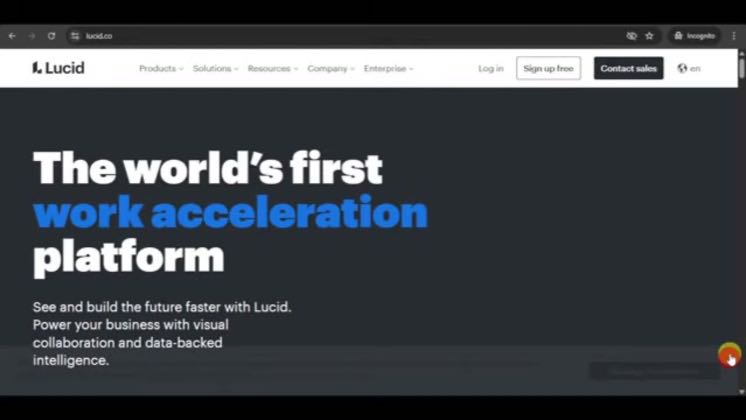
“The world's first work acceleration platform”
The opening line · 0:00 · move: howto
Shows beginners how to activate Lucidchart's UML libraries, edit class attributes and add an actor, then points out that Lucid AI can generate a UML diagram from a prompt.
171views—likes↑17.1×vs their usual post · 10 views—creators ran this script
@How To Tutor · 12K followers · 0 of 60 recent posts mention Lucidchart / Lucidspark · creator page →
The script29 lines · @How To Tutor
- 0:00In this video, I'm going to teach you how to create a QML diagram in Lucid chart.
- 0:06So in this first, I had written Lucid.co website and you should be able to see this.
- 0:12Once you're in there, click on the design of free, and from there, click on the disk login
26 more linesmembers read and copy every script on the site
@How To Tutoryoutube · 12K followers · median 10 views · n=60best post17117.1×views · for Lucidchart / LucidsparkUnknown Public title and description directly attribute the workflow to Lucidchart or Lucidspark; no platform disclosure, explicit sponsorship statement, creator-specific commercial URL, or verified Lucid program membership was captured. https://www.youtube.com/watch?v=-9Ta0QIyPEwOpen creator →Views and likes are public counts at capture time. The multiple compares this post with the creator’s own recent median, not a claim about what caused its reach. Read the methodology →