 1
1HOOK · howtoReplace the green-screen requirement0:00
With the background remover on Adobe Express, you can instantly remove the background from photos and videos with a single click.
 PAID6:30
The anchor — the post this playbook is read from.
Open the post page →
Start with a visibly unusable photo or clip, remove the background in one action, then carry the clean subject into a thumbnail, product post, or artwork.
Who runs it YouTube, art, product-marketing, and creator educators isolating a subject for a specific downstream asset
1With the background remover on Adobe Express, you can instantly remove the background from photos and videos with a single click.
 2
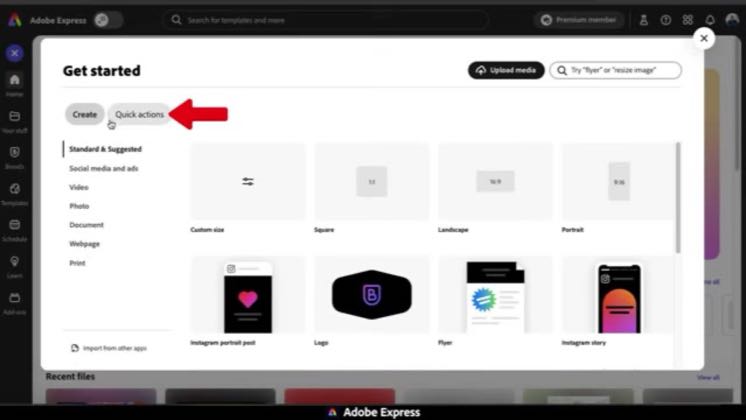
2So here's the Adobe Express homepage. To get started, let's go over how to remove the background from images.
 3
3If I like, I can now download my transparent image or open it up in the Adobe Express Editor.
 4
4Another way to remove backgrounds from images is to do it directly in the Adobe Express Editor.
 5
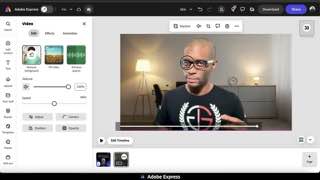
5And with my image selected, I can add other edits and effects to my cutout to make sure it's perfect for my social media post.
 6
6So we've gone over how to remove backgrounds from photos and images using the quick actions feature and the full editor.

Earlier playbook analysis · not fully re-reviewed in the latest pass
This playbook belongs to a structure shared across brands. Its member videos count toward each structure’s total. Open a structure to compare the grouped playbooks.
I can now add a different background by uploading one from my computer, or by browsing for one in the Adobe Express library.
 8
8So now that I've downloaded my video, let's play it and see how it looks.